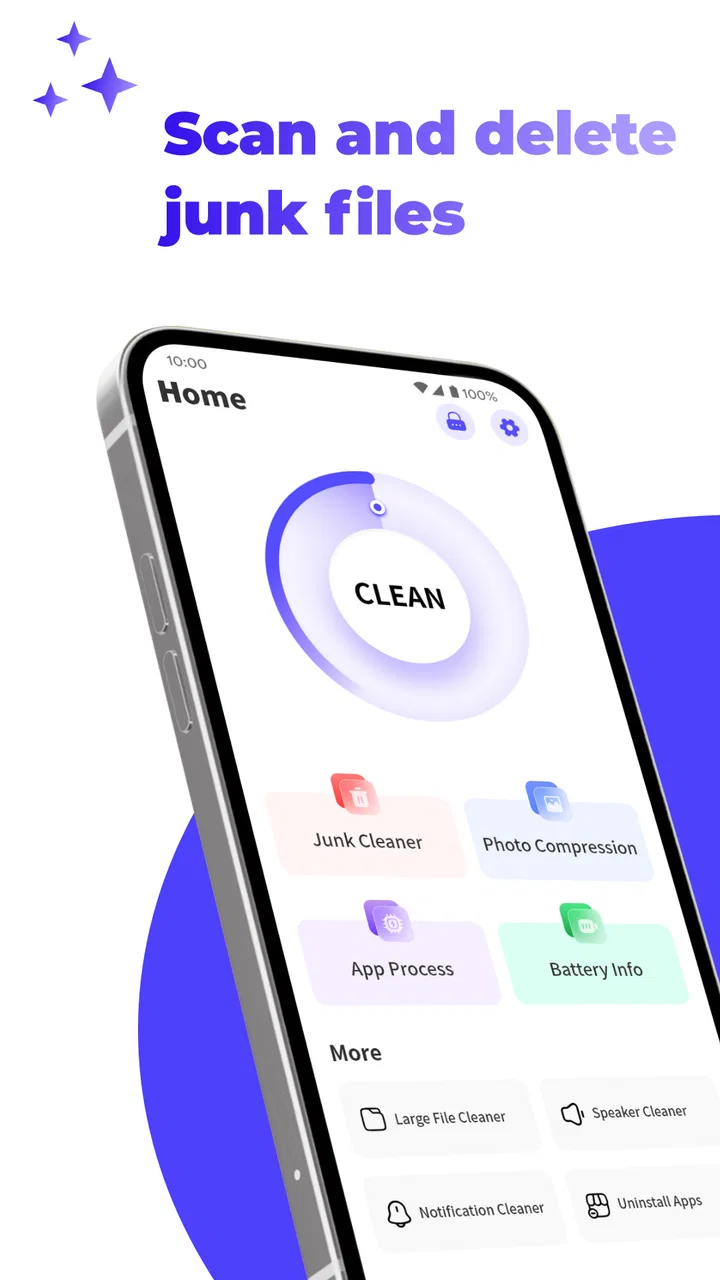
Smart Clean Pro
- 4.2
- Rating
- 5.00M
- Installs
- Free
- Price

 Analysis by App-foxy
I came away from Smart Clean Pro with a fairly clear impression: it is a focused Android cleaning tool for people who want to deal with leftover log files and APK files without turning phone maintenance into a complicated project. That narrow purpose is also its main strength. Rather than presenting itself as an all-purpose performance suite, the app stays close to the two file types named in its store summary, which makes it easier to understand what kind of cleanup it is meant to handle.
I would recommend it to someone who regularly downloads installation files, tests apps, or notices that old technical files are accumulating in storage. I would not choose it as a complete replacement for Android’s own storage controls, a file manager, or a backup routine. In my experience, a cleaner is most useful when it helps me make a specific decision safely, not when it encourages me to delete everything that looks unfamiliar.
What Smart Clean Pro is really good at
Smart Clean Pro is a free tools app from Rangana Global Studio. Its simple “Smart Clean” positioning makes sense because the job is practical rather than entertaining: identify unnecessary log files and APK files, then help me review them as candidates for removal. That focus gives the app a more understandable role than many utilities that promise to improve every part of a phone at once.
You May Also Like

 Blood Strike: 2.5 Anniversary
Blood Strike’s Loadouts Turn Every Drop Into a Tactical Gamble
A close look at Blood Strike’s custom loadouts: how fast access to signature weapons reshapes its battle royale rhythm, rewards preparation, and narrows the gap between fights.

 Pandora - Music & Podcasts
Pandora’s Music Is Easy to Start, but Harder to Recover
Pandora’s strength is its low-effort path from a seed to a station. Its weak spot is how much confidence it asks you to place in connection, setup, and quiet recovery.

 8 Ball Pool
 Is Built on Rivalries, Rematches, and Routine
A close look at the rivalries, rematches, shared routines, and unanswered safety questions that turn a quick pool match into a persistent mobile community.

 Samsung Music
’s Quiet Strength Is Playing What You Already Own
Its reach comes less from spectacle than from dependable access to a personal library. That simplicity is both the app’s strongest retention engine and its ceiling.

 AccuWeather: Weather Radar
AccuWeather Review: A Quick, Clear Forecast for Everyday Decisions
For everyday plans, the best forecast is the one you can understand quickly. AccuWeather makes rain timing, radar, and local conditions easy to act on, with a few trade-offs.

 Hill Climb Racing
Why Hill Climb Racing Still Turns Crashes Into One More Run
A tiny car, a bumpy hill and one more upgrade: Hill Climb Racing keeps resurfacing because its simple chaos makes every near-miss feel personal.
More From Our News Desk



The app is available for Android devices running version 6.0 or later, and its content rating is Everyone. That makes it approachable for a broad range of phone owners, including people who do not want to learn a complicated storage-management system. It has reached over one million installs and holds a 4.4 average from around seventeen thousand ratings, which suggests that the basic idea has found a substantial audience.
One detail I appreciate is that the cleanup target is concrete. Log files can be useful while diagnosing a problem, but older logs are often of little value to an ordinary phone owner once an issue has passed. APK files are different: they are installation packages, and keeping one can be intentional, especially when someone wants to reinstall an app later or preserve a particular version. Treating both as simple clutter would be careless, so I would approach the app as a review-and-delete tool rather than an automatic eraser.
That distinction matters in everyday use. If I have been experimenting with several applications, the downloaded APKs may be the easiest files to recognize and remove. Log files require more caution because their names may be less familiar and their usefulness depends on whether I am still investigating a crash or malfunction. The most sensible workflow is to inspect the proposed items, remove what I recognize as obsolete, and leave anything connected to an active troubleshooting task.
A practical cleanup routine
My preferred way to use a tool like this would be after a specific storage-heavy activity, not randomly every day. For example, imagine downloading several apps outside the usual installation flow while testing alternatives for a family member. The applications may be installed successfully, but the original APK packages can remain in a downloads folder. Once I know which app works, I can use Smart Clean Pro to locate the installation packages I no longer need, check their names, and remove only the abandoned ones.
I would handle logs differently. If the phone has recently shown an error, I would first keep the related files until I had finished checking the issue or sharing information with support. After the problem is resolved, a scan can become a useful second pass. This is one of the less obvious ways to get value from the app: use it as a cleanup checkpoint after troubleshooting, rather than deleting diagnostic material before it has served its purpose.
Another useful habit is to clean before a known storage-sensitive task, such as recording a long video or downloading offline content. I would not expect the app to create a dramatic performance transformation, and I would be skeptical of any cleaner making broad speed promises. Its more realistic benefit is recovering space occupied by files I have already decided are disposable.
There is also a privacy angle, although it should not be overstated. Removing old logs can reduce the amount of technical history sitting on the device, while deleting unused APKs can reduce forgotten installation archives. That does not replace proper account security or a secure deletion policy, but it can make the phone less cluttered and easier to audit manually.
Why the focused approach works
The strongest evidence in favor of Smart Clean Pro is its limited scope. I can understand the reason for opening it: I want to look for logs or APK packages that may no longer be needed. That is easier to communicate than a vague promise to “boost” a phone. A focused utility also makes it simpler to develop a personal rule for safe cleanup, such as keeping packages for apps that I may reinstall and removing duplicates or obsolete downloads.
Compared with Android’s built-in storage screen, the app’s appeal is convenience and specialization. Android settings are still the better place to see the broad storage picture, including which applications, media categories, and system areas occupy space. Smart Clean Pro makes more sense when I already know that logs or APK files are the problem and want a tool centered on those categories.
Compared with a conventional file manager, the app may be easier for a less technical user who does not want to browse folders manually. A file manager gives me more control, but it also makes it easier to delete the wrong item if I do not understand the directory structure. A dedicated cleaner can reduce that friction, provided I still review the results instead of treating every suggestion as disposable.
It also occupies a different place from broad maintenance suites. Those alternatives may combine storage analysis with battery tools, memory controls, notifications, or security features. That wider feature set can be useful to someone who wants one dashboard, but it can also add distractions and encourage unnecessary interventions. I prefer Smart Clean Pro when the goal is specifically to examine the file types it targets.
The current version is 1.1.5, and the developer is Rangana Global Studio. I mention the version because utility apps can change their behavior as Android storage rules evolve. Before relying on any cleaner for an important device, I would open it after installation, check what it identifies, and make sure its results match what I can recognize in my own storage.
The limitation that should shape your expectations
The meaningful weakness is not that the app has a narrow purpose; it is that narrow purpose can be mistaken for a complete storage solution. Removing log and APK files will not automatically address large videos, duplicate photographs, cached media from messaging applications, or an oversized application that is consuming most of the space. If those are the real cause of a full phone, Smart Clean Pro will only solve a small part of the problem.
I would also avoid assuming that every APK is safe to delete. An APK can be an old installer, but it can also be the only copy someone kept for a later reinstall. If I use a phone for work, app testing, accessibility setups, or travel, I may have a reason to preserve specific packages. The right approach is to treat the app’s findings as a shortlist for inspection. The convenience is valuable, but it should not replace ownership of the decision.
Logs deserve similar care. A file that looks old may still be useful when diagnosing a recurring issue. I would clean them after confirming that I no longer need the evidence, especially if I plan to contact a developer or compare behavior before and after a change. This small delay is worthwhile because recovering storage is less important than preserving information that could explain a problem.
There is a practical limitation for people who expect a single tap to transform their device. A cleaner can remove selected files, but it cannot compensate for a phone that is consistently too small for the way it is used. If I repeatedly run out of space because of photos, videos, or offline downloads, I would rather change my storage habits or use Android’s broader storage tools than depend on repeated removal of logs and APKs.
I would also be cautious about using any cleaning tool as part of an automatic schedule without reviewing what it selects. The safest value here comes from deliberate cleanup. A user who wants silent, comprehensive maintenance may prefer a different approach, while someone who wants to understand and approve each deletion is more likely to appreciate this focused category of utility.
Who should install it, and who should skip it
Smart Clean Pro is a good fit for people who download apps frequently, keep installation packages after setup, or want a straightforward way to review technical leftovers. It is especially practical for users who are comfortable making a quick keep-or-delete decision but do not want to navigate Android folders by hand. The Everyone rating and free price also make it easy to try without turning the decision into a financial commitment.
I can see it being useful on a shared household phone where one person installs many apps and another person later has to recover storage. Instead of searching through several directories, the owner can use the cleaner as a starting point, identify packages that clearly belong to abandoned experiments, and leave personal documents and media untouched. That is a modest workflow, but it is exactly the kind of task where a focused tool can save time.
It is less suitable for an advanced Android user who already understands storage locations and wants detailed control over every file. A capable file manager may offer better visibility for that person. It is also not the right first choice for someone whose main concern is photo organization, duplicate media, battery life, malware protection, or application management. Those needs call for different tools, and forcing them into a log-and-APK cleaner would create the wrong expectations.
For users who install applications from outside the main app store, the decision is more nuanced. Smart Clean Pro can help find installers that are no longer needed, but I would preserve any package that serves as a trusted backup or is difficult to obtain again. I would also keep a clear naming system for important installers before cleaning. That small organizational step prevents the common mistake of deleting something useful simply because its filename looks technical.
Because the app is free, I would try it during a normal cleanup rather than granting it a permanent role immediately. Open it when storage is getting tight, compare its suggestions with what you know is on the phone, and see whether its focused results are actually useful for your habits. If it consistently points to files you recognize as disposable, it has earned a place in the maintenance routine. If most suggestions require guesswork, Android settings or a file manager may be safer.
My final assessment
I see Smart Clean Pro as a sensible specialist, not a magic performance button. Its value comes from bringing attention to log files and APK files that are easy to forget, while keeping the cleanup idea simple enough for everyday Android use. The 4.4 average and broad install base make it a credible option to consider, but the numbers do not change the need for careful file-by-file judgment.
My recommendation is straightforward: install it if those two file types are a recurring source of clutter and you want a free, focused tool from Rangana Global Studio. Use it after app-testing sessions, once troubleshooting is complete, or before a storage-heavy task. Keep important installers, preserve logs that may still explain an active problem, and use Android’s own storage view when the real issue is media or large applications.
The best way to use Smart Clean Pro is as a cautious cleanup assistant, not an automatic delete button. With that expectation, it can make a small but useful part of phone maintenance easier. Without it, users may expect a complete storage overhaul and feel disappointed when the app quite reasonably concentrates on the files it was built to find.
FAQs for Smart Clean Pro
01What is Smart Clean Pro and how does it work?
Smart Clean Pro is an advanced cleaning app designed to optimize your smartphone's performance. It works by removing junk files, clearing cache, and freeing up storage space. The app also helps manage apps running in the background, improving speed and battery life. With its user-friendly interface, users can easily navigate and maintain their device's health.
02Is Smart Clean Pro safe to use on my device?
Yes, Smart Clean Pro is safe to use on both Android and iOS devices. The app is developed with advanced security protocols to ensure that your data remains safe. It does not access personal information or sensitive data and focuses solely on optimizing your device's performance.
03Does Smart Clean Pro offer any additional features beyond cleaning?
Absolutely. In addition to its cleaning capabilities, Smart Clean Pro offers features like battery optimization, app management, and real-time performance monitoring. It also includes a privacy advisor to help you manage app permissions and a duplicate file remover to free up additional storage space.
04How often should I use Smart Clean Pro to maintain my device?
For optimal performance, it's recommended to use Smart Clean Pro at least once a week. Regular cleaning helps keep your device running smoothly by removing unnecessary files and optimizing system processes. You can also set up automatic cleaning schedules within the app for convenience.
05Is there a cost associated with using Smart Clean Pro?
Smart Clean Pro offers both free and premium versions. The free version provides basic cleaning and optimization features, while the premium version unlocks advanced tools and features such as automated cleaning, in-depth performance reports, and priority customer support. Prices vary based on subscription plans.
Pros
- Efficiently clears cache and junk files.
- User-friendly interface with intuitive navigation.
- Boosts device performance significantly.
- Offers a comprehensive app management tool.
- Includes battery optimization features.
Cons
- Contains ads in the free version.
- Occasional notifications can be intrusive.
- Limited functionality without premium upgrade.
- Some features require manual activation.
- May conflict with other cleaning apps.

Smart Clean Pro
Gallery